
DeepMind
alphafold2-multimer
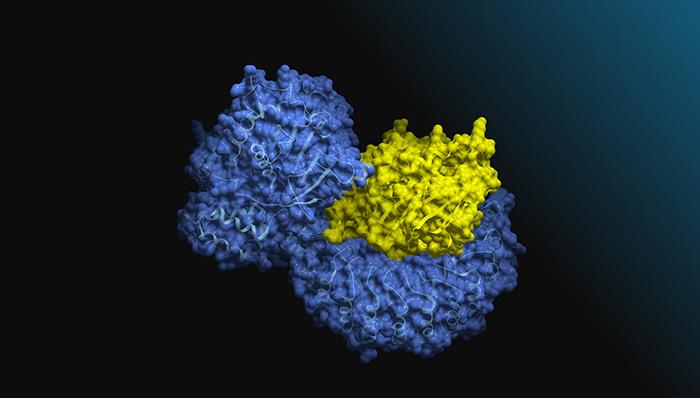
DeprecatedDownloadablePredicts the 3D structure of a protein from its amino acid sequence.
Follow the steps below to download and run the NVIDIA NIM inference microservice for this model on your infrastructure of choice.
Generate API Key
Start NIM
- Export
NGC_CLI_API_KEYvariable.
Bash
export NGC_API_KEY=<your personal NGC key>
- The NIM container automatically downloads any required models. To save time and bandwidth it is recommended to provide a local cache directory. This way the NIM will be able to reuse any already downloaded models. Execute the following command to setup the cache directory:
Bash
export LOCAL_NIM_CACHE=~/.cache/nim
mkdir -p $LOCAL_NIM_CACHE
Note that you may need to run (sudo) chmod -R 777 $LOCAL_NIM_CACHE after the AlphaFold2 model is downloaded to avoid permission issues.
- Run the NIM container with the following commands:
Bash
$ docker login nvcr.io
Username: $oauthtoken
Password: <PASTE_API_KEY_HERE>
Bash
docker run -it --rm \
    --runtime=nvidia \
    -p 8000:8000 \
    -e NGC_API_KEY \
    -v $LOCAL_NIM_CACHE:/opt/nim/.cache \
    nvcr.io/nim/deepmind/alphafold2-multimer:latest
This command will start the NIM container and expose port 8000 for the user to interact with the NIM.
- Open a new terminal, leaving the terminal open with the just launched service. In the new terminal, wait until the health check end point returns
{"status":"ready"}before proceeding. This may take a couple of minutes. You can use the following command to query the health check.
Bash
curl -X 'GET' \
    'http://localhost:8000/v1/health/ready' \
    -H 'accept: application/json'
Test the NIM
Python Client Example
- Save following Python example to a file named
nim_client.py.
Python
import requests
import json

url = "http://localhost:8000/protein-structure/alphafold2/multimer/predict-structure-from-sequences"  # Replace with the actual URL
sequences = ["MNVIDIAIAMAI", "NESKHCAWVMIPTFRQYDGL"]  # Replace with the actual sequences.

headers = {
    "content-type": "application/json"
}

data = {
    "sequences": sequences,
    "databases": ["small_bfd"],
    "e_value": 0.000001,
    "algorithm": "jackhmmer",
    "num_predictions_per_model" : 1,
    "relax_prediction": False,
}

response = requests.post(url, headers=headers, data=json.dumps(data))

# Check if the request was successful
if response.ok:
    with open("output.pdb", "w") as ofi:
        ofi.write(json.dumps(response.json()))
    print("Request succeeded:", response.json())
else:
    print("Request failed:", response.status_code, response.text)
- Execute the example.
Bash
python nim_client.py
- The resulting PDB structure will be returned and written to
output.pdb.
Bash
cat output.pdb
Shell Client Example
- Save the following Shell example to a file named
nim_client.sh.
Bash
#!/usr/bin/env bash
set -e

URL=http://localhost:8000/protein-structure/alphafold2/multimer/predict-structure-from-sequences

request='{
 "sequences": ["MNVIDIAIAMAI", "NESKHCAWVMIPTFRQYDGL"]
}'
curl -H 'Content-Type: application/json' \
     -d "$request" "$URL"
- Execute the example.
Bash
chmod +x nim_client.sh

./nim_client.sh
- Results will be printed on the terminal in JSON format. You will be able to see the PDB formatted output; you can also use curl to save the output directly to file.
For more details on getting started with this NIM, visit the NVIDIA NIM Docs.