
nvidia
Agent For Life Sciences
EnterpriseBuild your own agent to coordinate molecular design workflows.
Overview
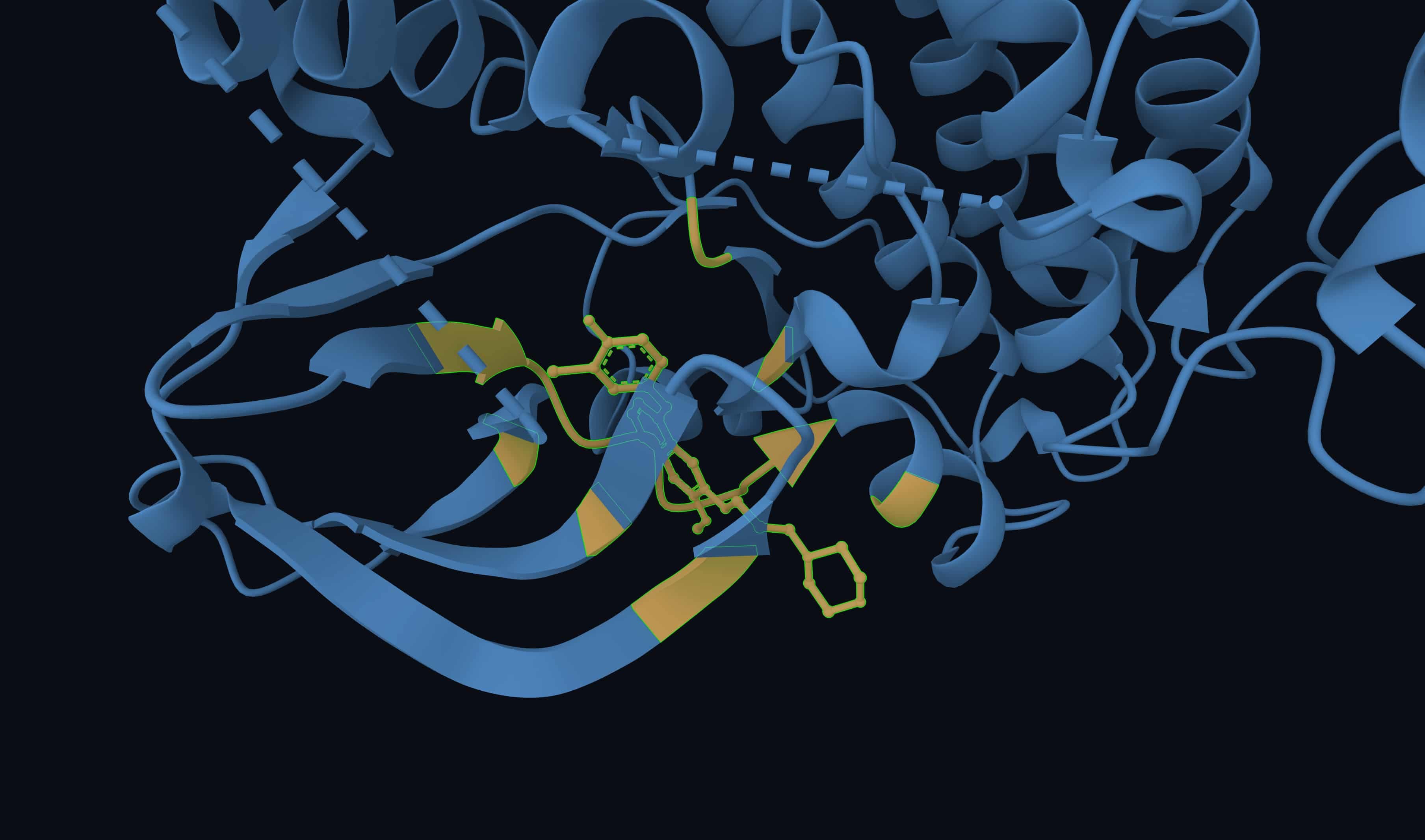
Biomolecular design requires connecting specialized models, scientific data, and multiple computational steps. This NVIDIA Developer Example demonstrates how NVIDIA Agent Toolkit, BioNeMo Agent Toolkit, and NeMo capabilities can work together to coordinate those steps while preserving the context and evidence behind each result.
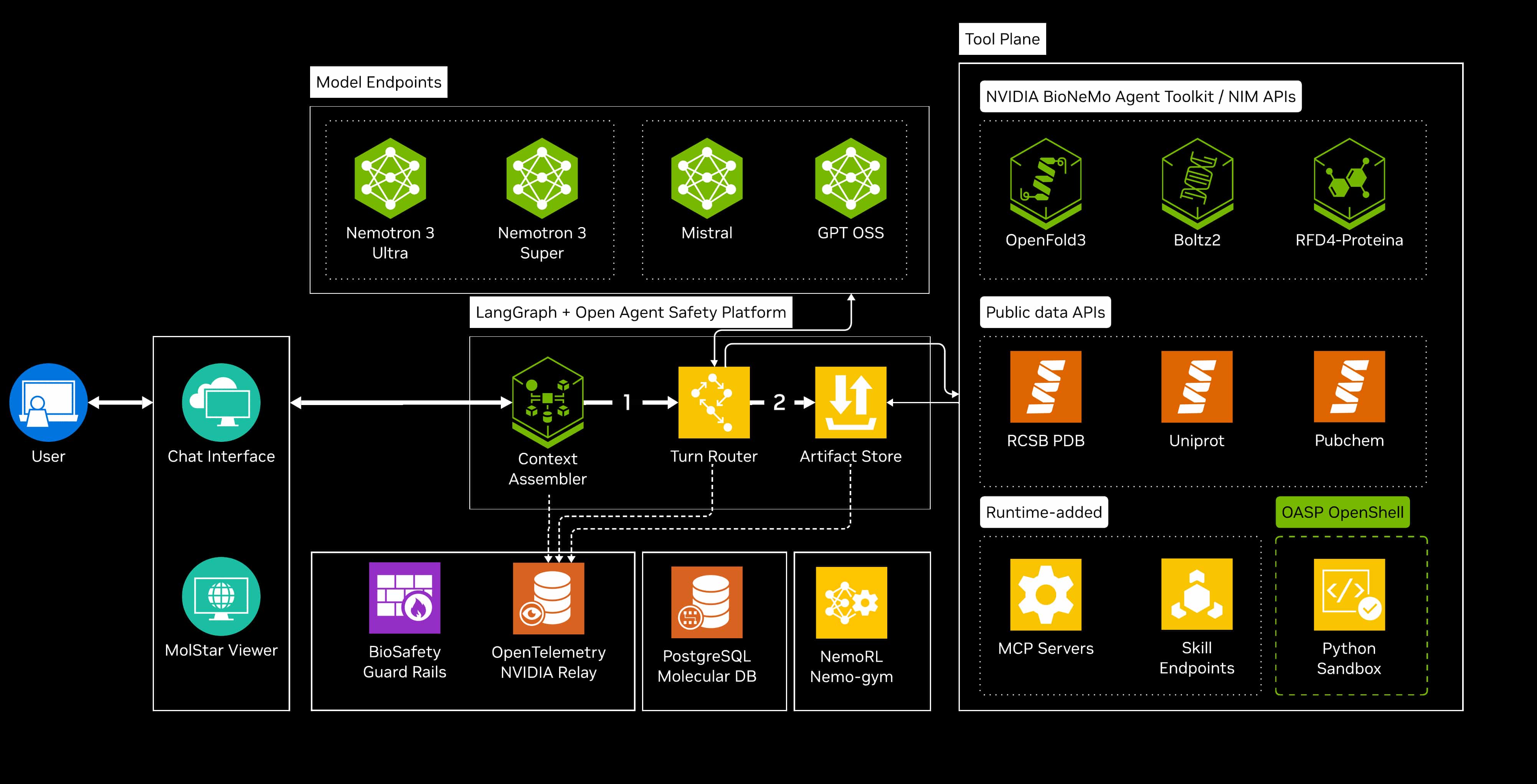
The agent connects a scientific objective with the tools needed to carry out a workflow. Specialized models and tools perform tasks such as structure prediction, molecular docking, and protein design, while scientific artifacts and shared state carry inputs and results from one step to the next.
Explore how orchestration, scientific data handling, visualization, and evaluations fit together, then use the underlying NVIDIA libraries, models, and tools to build your own scientific agents. The example demonstrates architectural patterns; developers implement and validate their own applications.
Architecture Diagram
Key Features
The following features describe the full developer example. The guided experience on this page demonstrates selected workflows through preset prompts.
- Scientific Workflow Orchestration: Coordinate specialized models, scientific tools, and data sources across multistep biomolecular design workflows.
- Scientific Data and Context: Keep structures, sequences, molecular candidates, and computed results connected through typed artifacts and shared workflow state.
- Interactive Molecular Visualization: Inspect structures and molecular selections in a 3D workspace to connect computational results with researcher review.
- Traceable Execution and Configurable Controls: Track inputs, parameters, tool calls, and outputs. Inspect failures and bottlenecks, and explore patterns for execution budgets and safeguards.
- Repeatable Agent Evaluations: Test workflow behavior, compare changes, and identify regressions. Use execution evidence to assess targeted improvements to the agent.
- Modular Scientific Tool Integration: Explore common interfaces for scientific skills, external tools, and reusable workflows, then apply these patterns with the underlying NVIDIA technologies and your own models and data.
Software Used in This Developer Example
NVIDIA Technology
- BioNeMo Agent Toolkit: Scientific skills and instructions that guide Aevom’s use of biomolecular tools.
- NVIDIA Nemotron 3 Ultra: Open reasoning model for agent planning and tool use; Aevom’s default model.
- NVIDIA NIM for GenMol: Fragment-based small-molecule generation and optimization.
- NVIDIA NIM for RFdiffusion: Protein backbone generation for de novo protein and binder design.
- NVIDIA NIM for ProteinMPNN: Amino acid sequence design for specified protein backbones.
- NVIDIA NIM for OpenFold3: All-atom structure prediction for biomolecular complexes.
- NVIDIA NIM for Boltz-2: Biomolecular structure and protein–ligand binding affinity prediction.
- NVIDIA NIM for MSA Search: GPU-accelerated multiple sequence alignment to support protein structure prediction.
- nvMolKit: GPU-accelerated cheminformatics for conformer generation and MMFF geometry optimization in Aevom’s docking pipeline.
- NeMo Gym: Environments for agent evaluation and training, connected to Aevom’s tools and reward verification.
- NeMo RL: Scalable reinforcement-learning post-training; Aevom uses GRPO to train Nemotron 3 Nano.
- CUDA and NVIDIA Container Toolkit: GPU acceleration and GPU-enabled containers for Aevom’s optional local docking setup.
Other Software
- Harbor: Repeatable end-to-end agent evaluations and workflow verification.
- Gemini 3 Pro: Google reasoning model for planning and tool-driven workflows.
- Claude Opus 4.6: Anthropic model for reasoning and multistep tasks; configured but hidden from Aevom’s model picker.
- GPT-5.1: OpenAI model for coding, reasoning, and tool-driven workflows.
- GPT-6 Astra: OpenAI model for reasoning, scientific analysis, and multistep tool use.
- AutoDock Vina: Protein–ligand docking, pose optimization, and scoring.
- RDKit, Datamol, and SAFE (safe-mol): Molecular analysis, descriptors, conformers, and fragment-based molecular notation in pyexec.
- Mol*: Interactive molecular visualization and MolQL-based structure selection.
- Biopython: Biological sequence and protein-structure parsing and analysis in pyexec.
- Biotite: Array-based structural analysis, superposition, and solvent-accessibility calculations in pyexec.
- Open Babel and PubChemPy: Molecular format conversion and PubChem compound lookup in pyexec.
- ADMET-AI: Prediction of absorption, distribution, metabolism, excretion, and toxicity properties through a dedicated servic
References
Minimum System Requirements
Minimum Hardware Requirements
Single-user use with remotely hosted LLMs and NIM services.
- CPU: 4 x86-64 CPU cores.
- System memory: 16 GB RAM.
- Storage: 50 GB free SSD space for container images, build cache, and application data.
- GPU: Not required. The default deployment runs local docking, conformer generation, and ADMET prediction on CPU.
- Network: Internet access to configured model endpoints and scientific data services.
Recommended Hardware Configuration
Workstation-class configuration for development and optional GPU-accelerated docking and conformer generation.
- CPU: 6 or more x86-64 CPU cores / 12 or more hardware threads.
- System memory: 64 GB RAM.
- Storage: 100 GB or more free NVMe SSD space; add capacity for retained datasets, artifacts, and traces.
- GPU: 2 × NVIDIA Quadro RTX 8000 (Turing), with 48 GB VRAM per GPU, or newer equivalents. This is a reference configuration, not a two-GPU requirement.
Operating System and System Software
- Operating system: Linux (x86-64), with support for Docker containers.
- Docker: Docker Engine 20.10 or newer, with the daemon running and accessible to the deployment user.
- Docker Compose: Version 2.0 or newer for building and running the multi-container application.
- Host utilities: Git, Bash, and GNU Make. Initialize the BioNeMo Agent Toolkit submodule with git submodule update --init --recursive.
- Python: Python 3.10 or newer on the host for preflight model-registry checks. Application runtimes and scientific dependencies are installed inside containers.
- NVIDIA driver (optional): A driver compatible with the GPU container’s CUDA 12.6 runtime, required only for local GPU acceleration.
- NVIDIA Container Toolkit (optional): Install and configure for Docker GPU access when using GPU-enabled deployment. A separate host CUDA Toolkit installation is not required.
- Model access: API credentials and network access for the configured hosted model and NIM endpoints. For Docker Compose, both API_KEY_NV and API_KEY_NVINF files must exist; an unused key file may contain a placeholder.
- Preflight validation: Run make check before deployment to check Docker, Compose, model-specific key files, submodules, disk space, and optional GPU access.
Deployment Options
- Guided Web Experience: Explore preset prompts and molecular results on build.nvidia.com. Custom questions are not supported in this experience.
- Brev: Launch the full example to ask your own questions and explore supported workflows.
- Local Deployment: Start the agent on your laptop or workstation and start exploring immediately. Uses Docker Compose to start the multi-container browser-based application.
- Cloud: Deploy the agent to a cloud-hosted Kubernetes cluster using the included Helm chart, with configurable persistent storage, service scaling, and browser access.
Ethical Considerations
NVIDIA believes Trustworthy AI is a shared responsibility, and we have established policies and practices to enable development for a wide array of AI applications. This is a developer example and reference implementation, not a production application. Developers using this reference implementation should work with their internal teams to ensure their scientific agents meet the requirements of their industry and use case, and should address unforeseen misuse. Biomolecular designs and computational predictions require scientific review, and researchers remain responsible for methodology, interpretation, and decisions about further experimentation.
Please report security vulnerabilities or NVIDIA AI concerns here.
Safety and Security
Intended use and restrictions. This example is intended for developers and scientists building and evaluating scientific agents. It is not intended for unsupervised scientific decision-making, therapeutic decision-making, or any use that creates or increases biological, chemical, or other safety risk. Review the licenses and acceptable-use terms of the models and tools included in each workflow.
Dual-use considerations. Tools for protein, molecule, and sequence design can support beneficial research and can also be misused. The example’s default configuration is designed to avoid requests to generate or support hazardous biological or chemical agents, including by design, optimization, evasion of screening, or production guidance.
AI safety efforts. The example includes a Nemotron model that has been fine-tuned for biosafety, including CBRNE risk, using a behavior guide developed for this purpose. It also includes configurable runtime controls and guardrails, execution budgets, and traceable tool execution. Before release, the agent was evaluated for biological and chemical misuse using multi-turn adversarial red teaming in several languages, with human review of flagged results. Custom red teaming scenarios were developed specifically for relevant scientific workflows, including protein binder design, mRNA design, molecular docking, and fragment assembly, and red teaming was completed by both internal and external teams. We continue to evaluate this reference and plan to incorporate findings into future releases.
Known limitations. This system does not guarantee complete protection against all misuse. The default safeguards here are a starting point for developers to build on, not a complete solution — re-validate them for your own use case, and re-run safety evaluations if you change the underlying model, configuration, or policies. As with agentic systems generally, external inputs such as structure files and tool outputs should be validated before use.
Human oversight. The agent coordinates computational work and preserves the evidence behind each result. Researchers remain responsible for interpreting outputs, validating methods, and deciding whether to act on them.
License and Governing Terms
Aevom, the source code contained in the developer example, is licensed under the Apache License, Version 2.0. BioNeMo Agent Toolkit’s source code is licensed under the Apache License, Version 2.0. Its skills, documentation and content files are additionally licensed under the Creative Commons Attribution 4.0 International License.